Docking micro Services (Part-3)
In part-2 we discussed about Interfaces, how to build docker Images, configurations including sbt-docker, sbt-assembly, docker-resources, Cassandra and runtime configs.
Docker Compose
You can spin up a docker container using docker run, how ever doign this for all our services is not a maintainable option and that where Docker Compose comes to rescue.
It is a tool for defining and running multi-container Docker applications. With Compose, you use a Compose file to configure your application’s services. Then, using a single command, you create and start all the services from your configuration.
In addition to the sbt service modules, we have base-containers.yml, docker-compose.yml and our compose-resources. We will look in to each of them.
compose-resources
We define our nginx and and cassandra docker resources here.
nginx is a powerful HTTP Server and reverse proxy and has focused on high performance, high concurrency and low memory usage. Additional features on top of the web server functionality, like load balancing, caching, access and bandwidth control, and the ability to integrate efficiently with a variety of applications, have helped to make nginx a good choice for modern website architectures. Currently nginx is the second most popular open source web server on the Internet.
worker_processes  1;
events {
   worker_connections 512;
}
http {
   server {
      listen 80;

      location /aggregator {
           proxy_pass http://172.16.2.10;
      }

      location /beacon {
         proxy_pass http://172.16.2.11;
      }

      location /tracking {
         proxy_pass http://172.16.2.12;
      }

   }
}
Above we are saying listen on port 80. proxy_pass sets the protocol and address of a proxied server and an optional URI to which a location should be mapped.
cassandra-init.sh
/init/scripts/wait-for-it.sh -t 0 cassandra-node1:9042 -- echo "CASSANDRA Node1 started"
/init/scripts/wait-for-it.sh -t 0 cassandra-node2:9042 -- echo "CASSANDRA Node2 started"
/init/scripts/wait-for-it.sh -t 0 cassandra-node3:9042 -- echo "CASSANDRA Node3 started"

cqlsh -f /init/scripts/cassandra_keyspace_init.cql cassandra

echo "### CASSANDRA INITIALISED! ###"
We reuse wait-for-it.sh waiting for each of the three Cassandra nodes to start and become available. It then runs cassandra_keyspace_init.cql which creates our tables and populates them with dummy data.
base-containers.yml
version: '2'
services:
    cassandra-base:
        image: cassandra:2.1
        networks:
            - dockernet
        environment:
            WAIT_TIMEOUT: "60"
            JVM_OPTS: "-Dcassandra.consistent.rangemovement=false"
            CASSANDRA_CLUSTER_NAME: "DemoCluster"
            CASSANDRA_ENDPOINT_SNITCH: "GossipingPropertyFileSnitch"
            CASSANDRA_DC: "DATA"
        restart: always
In this script we configure the common image parameters, this avoids duplicating the common Cassandra configuration for each node.
Now lets look at the big guy docker-compose.yml
nginx
nginx:
        image: nginx
        ports:
            - "9000:80"
        environment:
            NGINX_PORT: 80
        volumes:
            - ./compose-resources/nginx:/etc/nginx
        networks:
            - dockernet
- Above we is our
nginximageconfig. - Under ports we are defining
PORT:HOST:CONTAINER - Adding environment variable
NGINX_PORT. - Defined a volume for the nginx.conf. This mounts the config located in compose-resources/nginx to /etc/nginx within the running container. Thereby providing our custom configuration to NGINX
- Under
networkswe are addednginxto our customdockernetnetwork.
cassandra-nodes
cassandra-node1:
        extends:
            file: base-containers.yml
            service: cassandra-base
        volumes:
            - avinash-cassandra-node1-data:/var/lib/cassandra # This bypasses the union filesystem, in favour of the host = faster.
        ports:
            - "9042:9042"
extendsallows us to access commonbase-containerscompose configurations.- For
volumeswe are not mounting a volume from a specific host path as we did with NGINX/cassandra-base. Instead we’re using a named volume and mounting it into the container. This volume blank and has no data upon instantiation.
cassandra-init:
        image: cassandra:2.1
        volumes:
            - ./compose-resources/cassandra:/init/scripts
        command: bash /init/scripts/cassandra-init.sh
        links:
            - cassandra-node1:cassandra
        restart: on-failure
        networks:
            - dockernet
- We’re overriding the
init/scriptsdirectory within the container, providing our own init script. - This is a sneaky way to init the Cassandra keyspace, We are using
cqlshfrom another instance (temp) of Cassandra to init 3 nodes, then shutting it down. This avoids havingcqlshin our service image and using the service entrypoint, which is the alternative - Restart until we successfully run this script (it will fail until cassandra starts
Lets look at service defnitions
beacon-service:
        image: beacon-service:1.0.0-SNAPSHOT
        expose:
            - "80"
            - "8080"
            - "9000"
        ports:
            - "8080:80"
        stdin_open: true
        links:
            - cassandra-node1:cassandra
            - nginx
        restart: always
        networks:
            dockernet:
                ipv4_address: 172.16.2.11
- We are using the image created by sbt-docker and sbt-assembly in conjunction.
- We expose different ports and bind them to port 80 on host machine.
stdin_openthe opens an interactive shell using Docker Compose,preventing any premature shutdowns.linksto containers in another service. Either specify both the service name and a link alias (“SERVICE:ALIAS”), or just the service name.alias-cassandramatches the configuration provided inapplication.conf.- We make sure our service
restartsif anything happens and we bind it to a static IP on our dockernet network - allowing NGINX to route requests to it.
network infrastructure
networks:
    dockernet:
        driver: bridge
        ipam:
            driver: default
            config:
            - subnet: 172.16.2.0/24
              gateway: 172.16.2.1
This is the custom bridge network that allows us to specify static IPs for our services - useful for Nginx setup
volumes:
    avinash-cassandra-node1-data:
        external:
            name: avinash-cassandra-node1-data
    avinash-cassandra-node2-data:
        external:
            name: avinash-cassandra-node2-data
    avinash-cassandra-node3-data:
        external:
            name: avinash-cassandra-node3-data
Named volumes to store cassandra data, this allows our data to persist between different compose files. Note that these volumes have to be available before you start the micro-services.
Service discovery and communication.
tracking.service {
   host = "tracking-service"
}

beacon.service {
   host = "beacon-service"
}
We’re referring to the other services using the names we’ve specified in the docker-compose.yml. This is how docker-compose makes it simple for our services to communicate with one another.
Lets summarize on what we did so far
- Built our micro-services
- Dockerized them
- Defined environment/configuration of how to spin up the architecture.
- How service discovery happens
Setup
Remember we discussed that you need to have named volumes available before you run start the microservices..
docker volume create --name avinash-cassandra-node1-data
docker volume create --name avinash-cassandra-node2-data
docker volume create --name avinash-cassandra-node3-data
From the root directory :
Build
./build-all.sh
This script runs sbt docker to build the image for each of our Microservices.
Run
docker-compose up
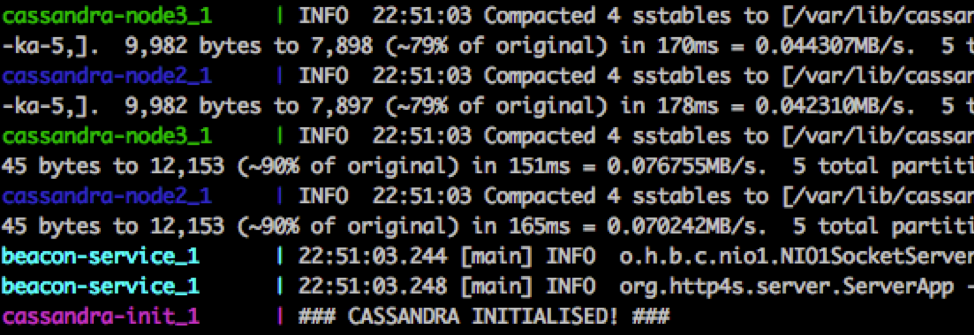
Boom! Your Microservices are all up and ready for requests, lets test it out !
beacon-service
GET: http://localhost:9000/beacons/locations/ce519f95-923c-4532-879e-cd19afa8dda8
[{
  "locationId":"ce519f95-923c-4532-879e-cd19afa8dda8",
  "beaconId":"5bf966d9-8046-4fc1-ae5a-80c923ebea5a",
  "beaconName":"Bed Room Beacon"
}]
tracking-service
GET: http://localhost:9000/tracking/beacons/5bf966d9-8046-4fc1-ae5a-80c923ebea5a/1473156000
[
  {
    "beaconId": "5bf966d9-8046-4fc1-ae5a-80c923ebea5a",
    "timeLogged": "2016-09-06T10:00:00",
    "userId": "f525cff6-721e-11e6-8b77-86f30ca893d3",
    "name": "Avinash Erupaka"
  },
  {
    "beaconId": "5bf966d9-8046-4fc1-ae5a-80c923ebea5a",
    "timeLogged": "2016-09-06T10:00:00",
    "userId": "8010fa28-721f-11e6-8b77-86f30ca893d3",
    "name": "Bhargavi RE"
  },
  {
    "beaconId": "5bf966d9-8046-4fc1-ae5a-80c923ebea5a",
    "timeLogged": "2016-09-06T10:00:00",
    "userId": "88b66e10-721f-11e6-8b77-86f30ca893d3",
    "name": "Shobha RE"
  }
]
aggregation-service
GET: http://localhost:9000/aggregator/locations/ce519f95-923c-4532-879e-cd19afa8dda8/1473156000 (Observe aggregator service acts as a front controller for communication.)
[
  {
    "userId": "f525cff6-721e-11e6-8b77-86f30ca893d3",
    "name": "Avinash Erupaka",
    "timeLogged": "2016-09-06T10:00:00",
    "beaconName": "Bed Room Beacon"
  },
  {
    "userId": "8010fa28-721f-11e6-8b77-86f30ca893d3",
    "name": "Bhargavi RE",
    "timeLogged": "2016-09-06T10:00:00",
    "beaconName": "Bed Room Beacon"
  },
  {
    "userId": "88b66e10-721f-11e6-8b77-86f30ca893d3",
    "name": "Shobha RE",
    "timeLogged": "2016-09-06T10:00:00",
    "beaconName": "Bed Room Beacon"
  }
]
Stop & Clean up old containers and Volumes containers
docker stop $(docker ps -a -q)
docker rm $(docker ps -a -q)
docker volume rm avinash-cassandra-node1-data
docker volume rm avinash-cassandra-node2-data
docker volume rm avinash-cassandra-node3-data
You could also do this to Stops containers and removes containers, networks, volumes, and images created by up.
docker-compose down
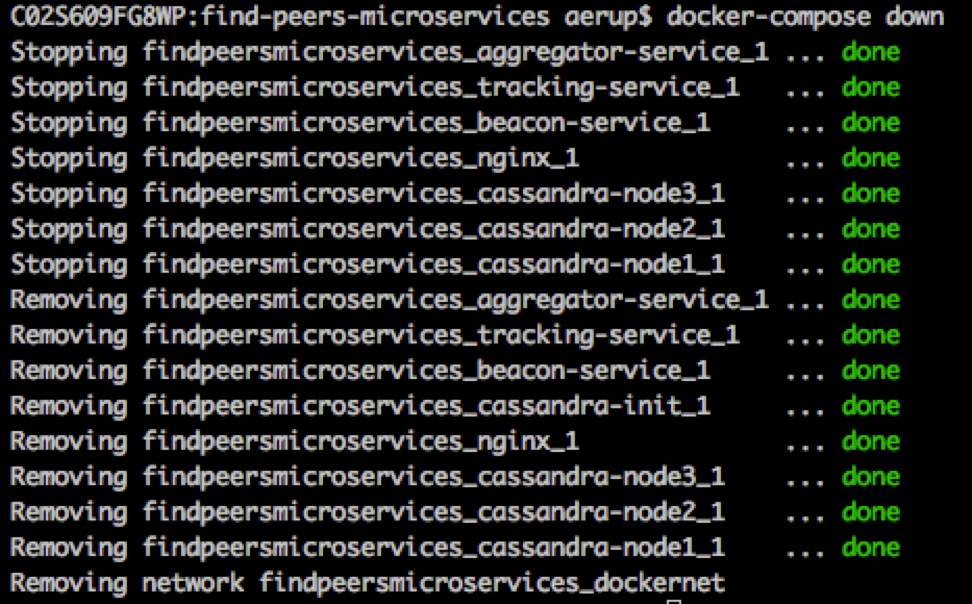
Hopefully these series of tutorial where informative, Cheers and Happy Building 🤘